As artificial intelligence becomes deeply integrated into everyday work and life, building AI skills is no longer optional—it is a critical career advantage. Whether you are a student, a non-technical professional, or an experienced software developer, understanding how to work alongside AI can supercharge your productivity, spark creativity, and open up new career paths.
The good news is that you do not need a background in advanced mathematics or computer science to start. With the right learning resources, practical strategies, and hands-on experimentation, anyone can build highly valuable AI skills starting today.
Choose Your AI Learning Pathway
Before diving into tutorials, it is helpful to define what you want to achieve. Most people fall into one of two main paths:
- The AI Power User Path (Non-Technical): This is ideal for marketers, managers, writers, educators, and business professionals. Your goal is to integrate existing AI tools (like ChatGPT, Claude, Gemini, and Midjourney) into your daily tasks, master prompt engineering, and automate repetitive workflows.
- The AI Builder Path (Technical): This is for software engineers, data professionals, and product builders. Your goal is to build AI-powered applications, integrate Large Language Model (LLM) APIs, implement Retrieval-Augmented Generation (RAG) pipelines, and design autonomous agents.
Core Strategies to Build Your AI Skills
1. Start with Free AI Resources
AI education is incredibly accessible, with leading tech companies and academic institutions offering high-quality, free resources for all levels.
For beginners and power users:
- Google AI Essentials / Generative AI Courses: Google offers structured, free courses introducing generative AI foundations and practical productivity tips.
- DeepLearning.AI (AI for Everyone): A non-technical course designed by Andrew Ng to help business professionals understand what AI can realistically do.
- Microsoft Learn AI Hub: Role-based tutorials tailored for business users looking to deploy Copilot and other productivity tools.
For technical builders:
- OpenAI Cookbook & Developer Guides: Comprehensive API guides and code repositories for building with GPT models.
- DeepLearning.AI Short Courses: Technical tutorials covering RAG, agent orchestration, fine-tuning, and model evaluations.
- Hugging Face Course: Hands-on guides to understanding transformers, tokenizers, and open-source models.
2. Master Prompt Engineering
Prompt engineering is the art and science of communicating effectively with AI systems. The quality of your prompts directly dictates the quality of the AI's output. By investing time in learning how to structure prompts, you can drastically improve your workflow.
| ❌ Vague Prompt (Don't) | ✅ Structured Prompt (Do) |
|---|
| Create a report | Create a one-page weekly sales report summarizing revenue, top-selling products, and performance compared to last week, using data from this spreadsheet. |
| Write an email | Write a professional follow-up email to a client after a product demo. Thank them for their time, highlight the main features they were interested in, and propose two times next week for a follow-up call. |
3. Apply AI to Practical Everyday Tasks
The absolute fastest way to build AI literacy is through daily, low-risk application. Look for recurring, manual tasks in your current routine that can be delegated or enhanced by AI:
- Writing and Editing: Drafting initial email replies, formatting meeting notes, or rewriting copy for different audiences.
- Research and Synthesis: Summarizing lengthy PDF reports, transcriptions, or articles to extract key takeaways.
- Coding Assistance: Using AI to write boilerplate code, debug syntax errors, or explain unfamiliar logic.
- Data Analysis: Inputting spreadsheets into advanced data analysis interfaces to generate charts and identify trends.
4. Build Hands-On Projects
Theory only gets you so far. Building personal projects solidifies your skills and gives you a portfolio to showcase.
- For Power Users: Set up an automated workflow using no-code platforms like Zapier, Make, or n8n that connects an email inbox to an AI model to categorize incoming leads.
- For Builders: Program a simple chatbot using an API key from Anthropic or OpenAI. Gradually upgrade it by adding memory (conversational history) or connecting it to a vector database for RAG.
5. Integrate AI Gradually and Safely
While adopting AI offers massive benefits, it is crucial to recognize and manage the associated risks:
- Overdependence: Relying entirely on AI without human oversight can introduce errors or degrade your own critical thinking. Always review and fact-check AI outputs.
- Data Privacy & Security: Be extremely cautious about entering sensitive corporate data, personal information, or proprietary code into public AI models.
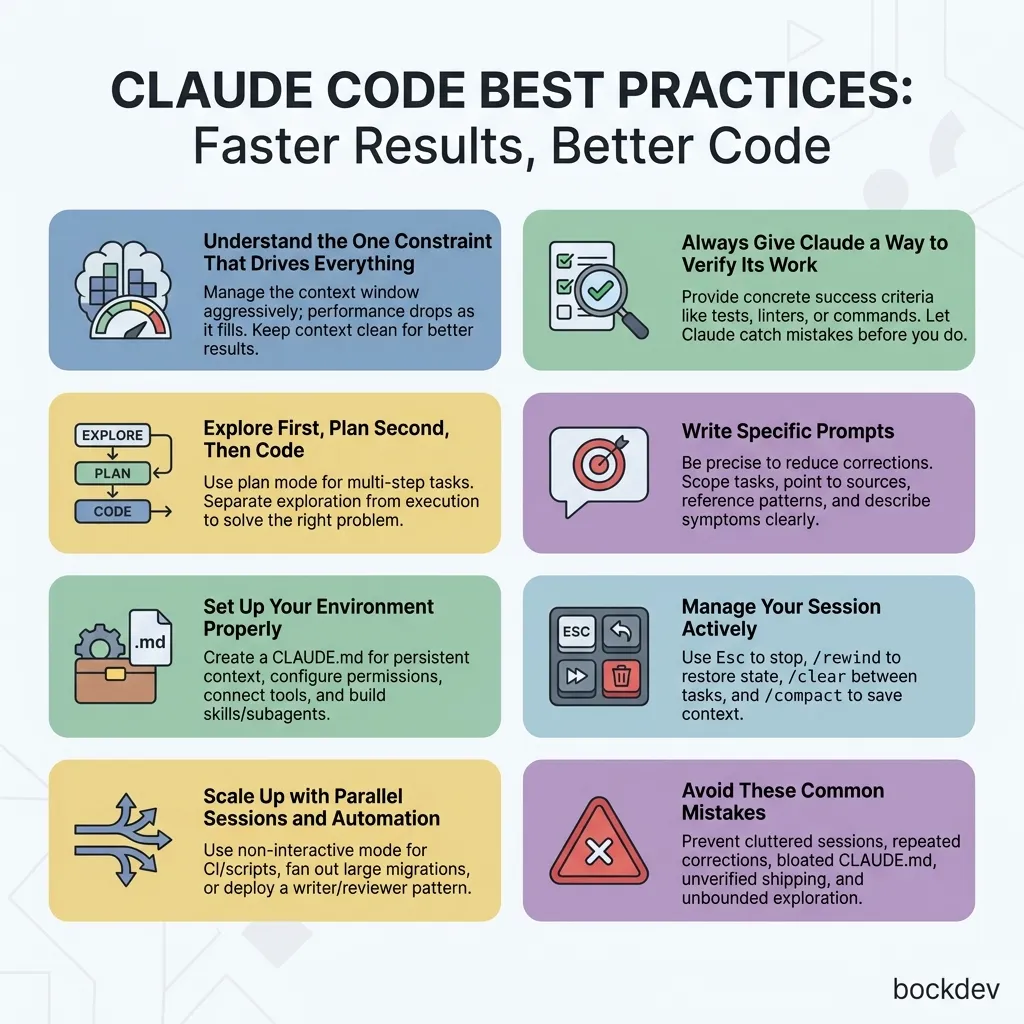
- Context Drift: Be aware of how AI conversation sessions can drift over time. Knowing when to start a fresh chat is a core skill.
6. Join Active AI Communities
Learning in isolation can slow you down. Engage with active AI communities to stay motivated and see how others are solving similar problems:
- Discord & Reddit: Communities like r/ChatGPT, r/LocalLLaMA, and developer Discord servers (like Hugging Face, OpenAI, and LangChain) are great for real-time troubleshooting and inspiration.
- GitHub: Star open-source AI projects, read issues, and explore repositories to see how developers structure their AI codebases.
7. Stay Updated on the Evolving AI Landscape
The pace of AI development is incredibly fast. Rather than trying to read everything, curate your sources to avoid overwhelm:
- Developer Blogs: Read release announcements from OpenAI, Anthropic, and Google.
- Newsletters: Subscribe to curated newsletters (like TLDR Web Dev, The Batch, or Superhuman) to get a high-level summary of weekly industry changes.
- Experimentation: Set aside 30 minutes a week to test a new feature, app interface, or model update.
8. Develop AI Ethics and Responsibility
A well-rounded AI skill set must include an understanding of the ethical implications of the technology. Responsible AI usage involves:
- Mitigating Bias: Understanding that models are trained on historical data and can reproduce societal biases.
- Ensuring Transparency: Being clear about when and where AI-generated content or decisions are being used.
- Intellectual Property: Understanding copyright considerations and proper citation when working with generative models.
Conclusion
Building AI skills does not require a formal computer science degree. It requires curiosity, consistency, and a willingness to learn by doing. By choosing a path, practicing prompt engineering, building hands-on projects, and staying curious, you will build the confidence and competence needed to navigate the AI-driven future successfully.
References